To Use The Android APP you need to have YOUR ACCOUNT URL LINK
Contact Support, If you dont have URL Link.
Download UPDATE Android [ DuckULTRA ] APP (September 2020)Click Here
Video Tutorial
(double click on video to enlarge)
Video Tutorial
(double click on video to enlarge)
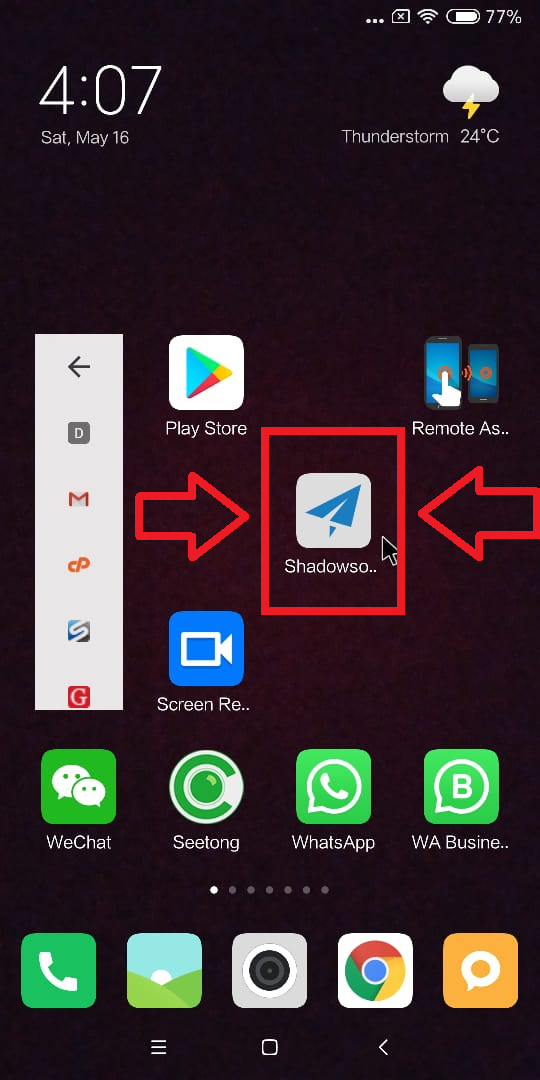
After Installing the app in your phone, Open APP by clicking icon
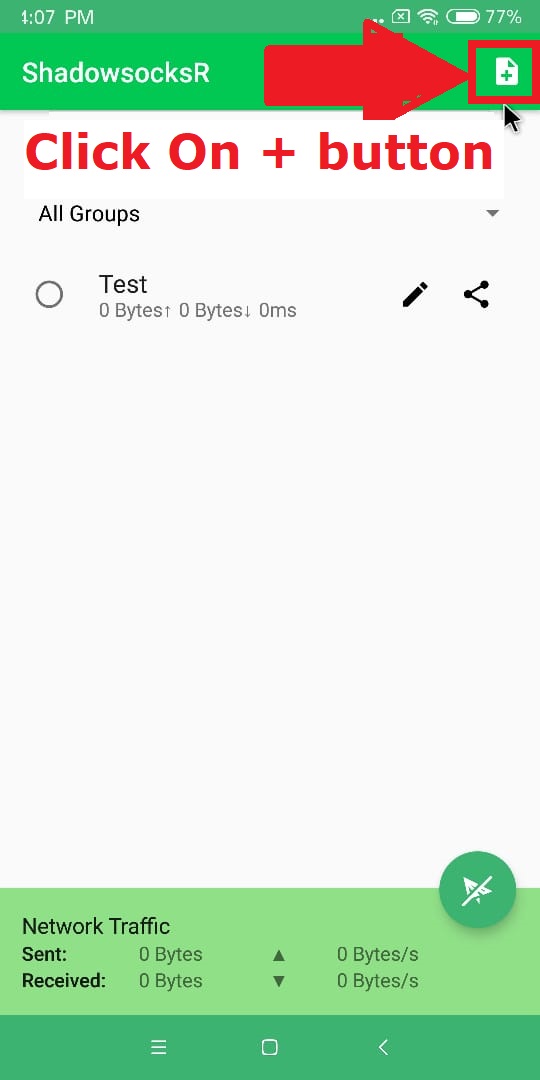
After Opening the app in your phone, Click on ' + ' button
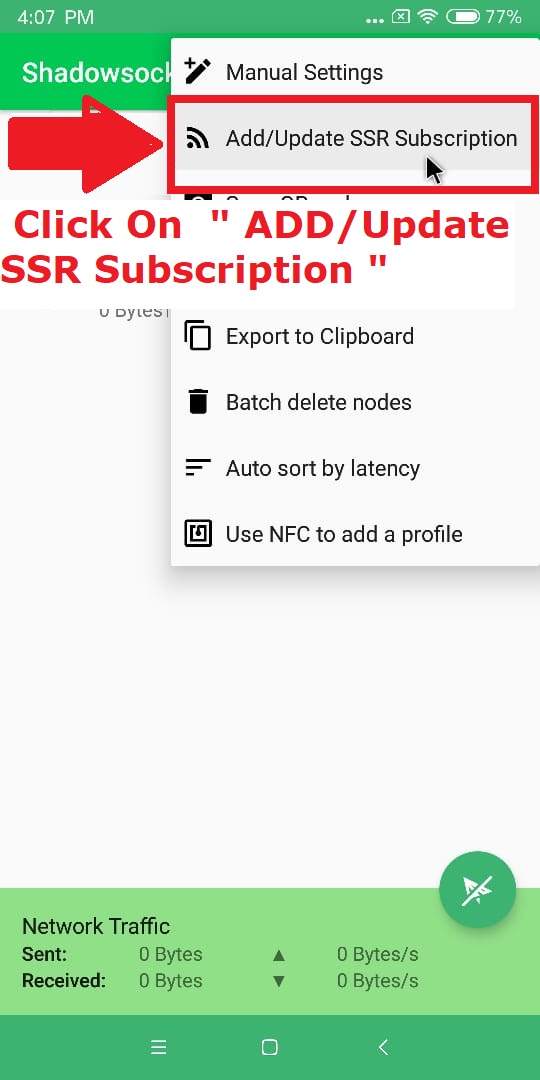
Click on 'ADD/UPDATE SSR Subscription'
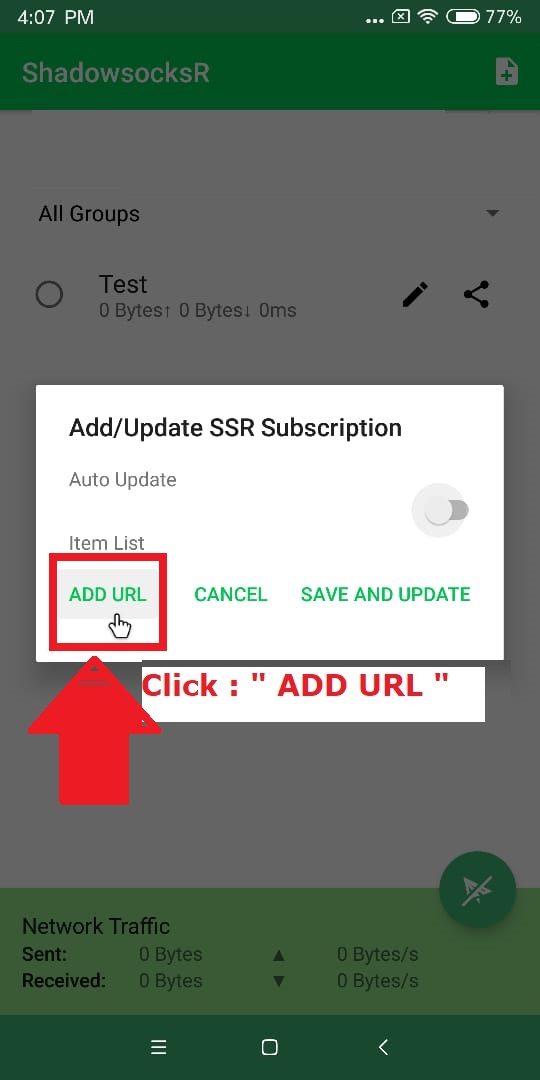
Click on ' ADD URL ' button
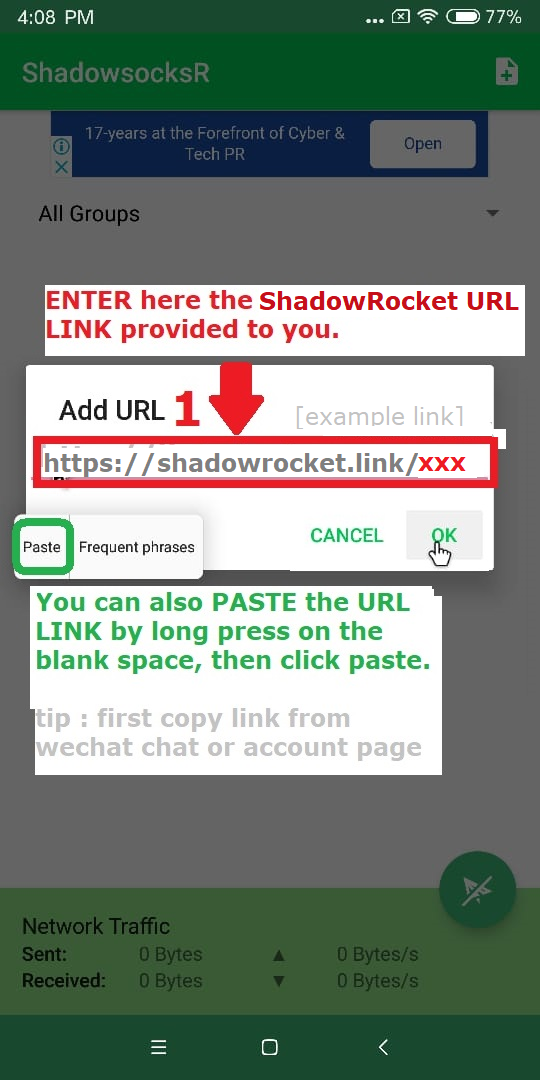
Enter (paste) Your account URL LINK, Provided to you.The Click 'OK'
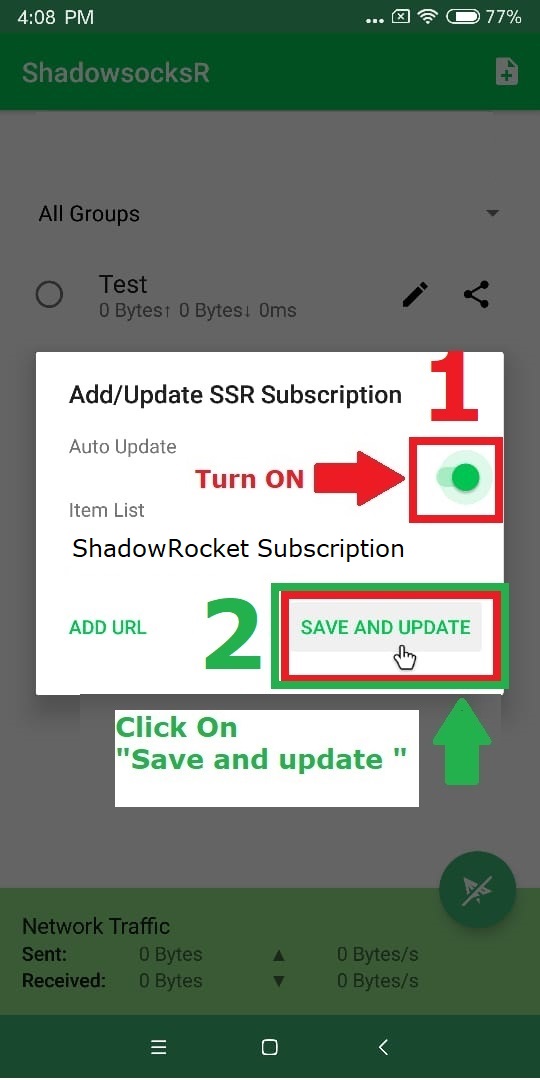
Click TURN ON update Button, Click 'SAVE AND UPDATE'
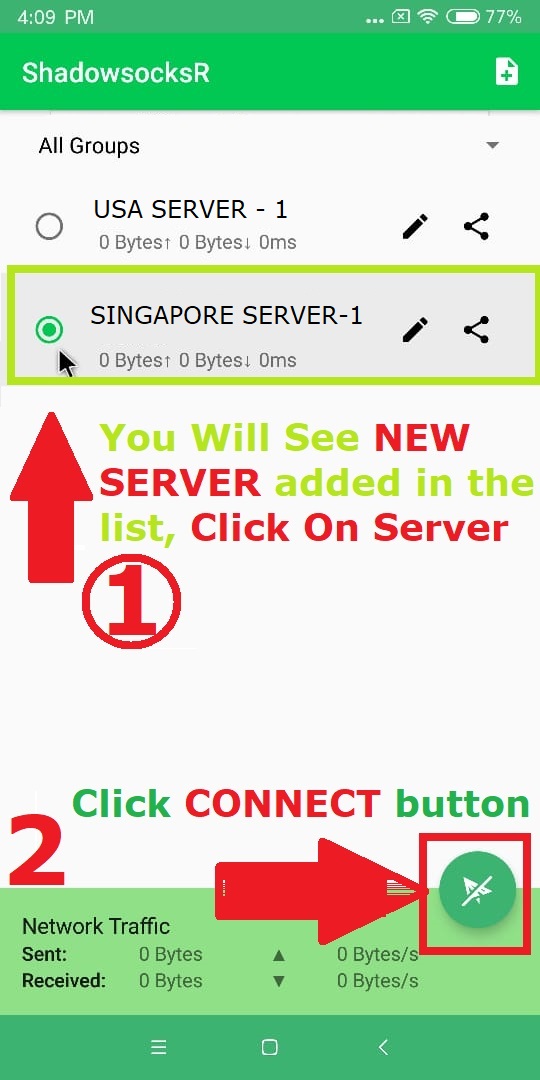
You will see servers added, Click Choose Server, Then CONNECT if ask any permission Allow & Accept